

 Updated : December 10, 2025
Today, customers expect quick and efficient customer service. A HubSpot study shows that 93% of customers are likely to purchase from brands that offer compelling service. The cloud-based call centers have been a game changer for businesses to communicate effectively with their customers and prospects. When compared to traditional onsite solutions, call center SaaS offers numerous benefits from cost savings to enhancements in customer service quality. But what is call center SaaS and how are they different from onsite solutions? Read the blog to know more.

Pro-Tip
Call center SaaS offers an exhaustive suite of innovative features that help businesses offer superior customer support, save costs, and enhance agent productivity. Invest in a robust cloud-based call center, capitalize on the benefits, and elevate your customer service to newer heights.
What is a Call Center SaaS Solution?
A call center Software as a Service (SaaS) solution is a unified, cloud-based platform that offers a comprehensive suite of inbound and outbound calling features like intelligent call routing, real-time analytics, and omnichannel support. Call center SaaS solution does not require infrastructural investments and operates through the cloud. So, agents can take calls from anywhere, anytime. This makes the SaaS contact center, the most appropriate for businesses with remote customer support teams. With an integrated dashboard, call center supervisors can monitor the activity across different channels- voice, video, SMS, live chat, social media channels, etc. Using these channels, businesses can streamline their internal collaboration and customer communication.
Reasons Why You Need a SaaS Call Center
From cost savings to enhanced support quality, SaaS call center offers a wide array of benefits for businesses. Here are the main reasons why you must invest in a robust SaaS call center software system. Top SaaS call center benefits include the following.
1. Access innovative features
Call center SaaS platforms offer advanced call management features like IVR systems, chatbot builders, voicemail transcription, call recording features, analytics, and dashboarding abilities that help businesses deliver superior customer support. The features can be customized to match batch requirements.
2. Enhance customer support quality
SaaS call center software helps businesses deliver quick, efficient customer support. With self-servicing abilities using chatbot and IVR systems, businesses can ensure 24/7 customer support. Also, advanced features like skill-based routing, ring groups, and call transfers help route incoming calls to the most capable agent. This way, customers can get their queries clarified and problems solved in a short time.
3. Minimize costs
Cloud-based call center platforms function through the Internet and do not require investments in physical infrastructure and hardware. Also, they do not need regular maintenance or updates. Moreover, the call center SaaS solutions function on the pay-per-use model and most service providers offer multiple pricing plans. This helps businesses choose a plan based on their budget and feature requirements and save costs.
4. Improve agent productivity
VoIP call center solutions have advanced features that help automate call handling and routing so agents can channel their time and effort into doing more productive tasks. Also, with continuous monitoring and analytics, businesses can undertake training and staffing decisions all of which help enhance agent productivity.
5. Increased mobility
SaaS call centers help business agents to work from anywhere as long as they have a reliable internet connection. This makes SaaS call center platforms, an appropriate solution for businesses with distributed workforce. Also, VoIP providers offer local, toll-free, and international numbers that businesses can leverage to build a presence in a country/ region while being headquartered elsewhere.
6. Deliver omnichannel support
Robust call center SaaS solutions help deliver customer support across multiple channels including voice calls, SMS, social media, email, live chat, etc. Businesses can manage different channels on a single dashboard to gain a centralized view while promoting consistency in communication.
Features of SaaS Call Center
The SaaS call center solutions offer sophisticated call management features when compared to on-premises solutions. We have listed some of the key features below. Source Key features of cloud-based call center software
1. Interactive Voice Response (IVR)
In a SaaS call center, IVR systems greet the callers and navigate them through a pre-recorded menu. Based on their inputs, the system helps call centers route incoming callers to the right agent, department, etc. IVR system helps call centers offer round-the-clock support and improve customer satisfaction.
2. Advanced analytics and reporting
Call center SaaS solutions use KPIs and metrics that offer actionable insights and analytics about the contact center’s functioning and service quality. Most tools offer real-time dashboards that help gain a comprehensive overview of call center performance across different support channels like voice, video, SMS, live chat, social media, etc.
3. Intelligent call routing
Automatic Call Distribution (ACD) is a key feature of call center SaaS platforms and they help route the incoming calls to the most qualified agent based on pre-defined criteria. You can assess callers based on their inputs like skills, location, requirements, language, agent work hours, etc., and navigate them to the appropriate agent.
4. Ring groups
Another defining aspect of call center SaaS solutions is the ring groups using which business administrators can set custom routing rules: simultaneous ring, round-robin, etc. Using the ring group feature, you can route calls to a group of call center agents or an entire department at once for the first available agent to pick the call. This helps minimize wait times.
5. Call recording
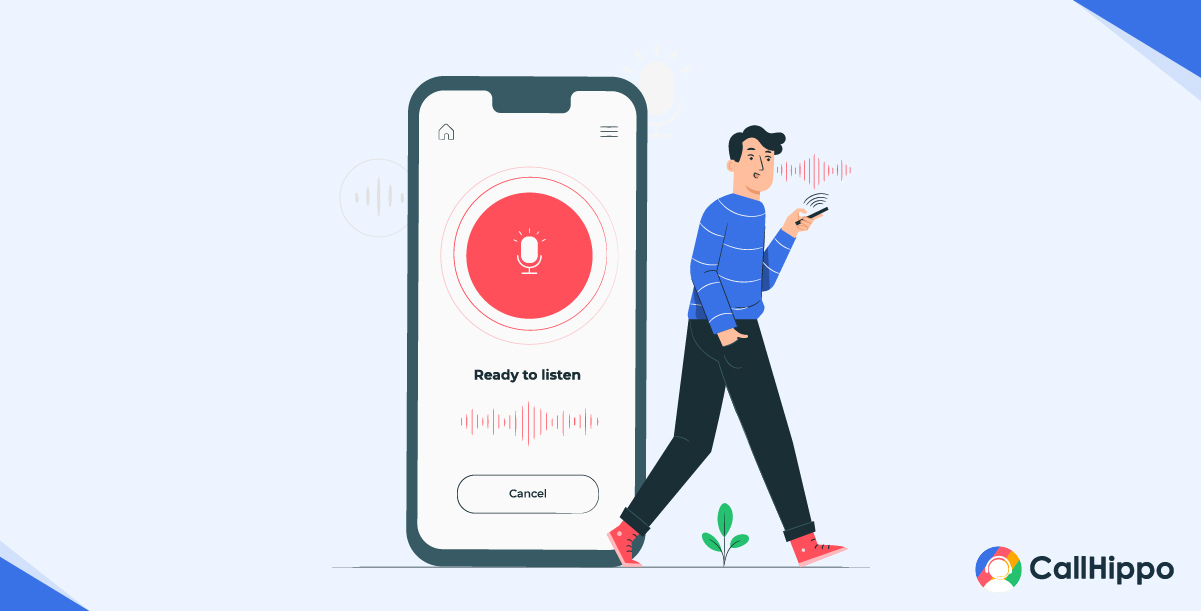 With call center SaaS systems, you can record each customer interaction and archive them for performance monitoring, agent training, compliance monitoring, dispute resolution, etc.
6. Multi-channel support
Cloud-based, call center SaaS solutions help businesses offer customer support across multiple channels like SMS, voice calls, video calls, live chat, social media platforms, etc. This allows customers to seek customer support through their preferred channels.
7. Integration
Call center SaaS platforms integrate well with other CRM, helpdesk, sales, and productivity tools. This makes it easy to streamline customer data and business workflows to ultimately increase the efficiency of the call center’s functioning.
DID YOU KNOW?
- It is estimated that conversational AI will cut customer service costs by about $80 billion by 2026. This is a change driven mainly by cloud-first contact centers and automation.
Benefits and Adoption of Call Center SaaS
Call Center SaaS has rapidly transformed from a “nice to have” to a “must-have.” To minimize the external expense, deploy promptly, utilize the power of AI without building in-house IT infrastructure, etc., businesses turn to SaaS call center solutions. Here are a few of its benefits and adoption.
1) Cost Savings & Reduced Upfront Investment
Businesses adopt SaaS mainly due to its cost-effectiveness. For business, it eliminates the need to invest a high upfront cost to make hardware purchases and long vendor integrations.
Also, SaaS allows businesses to easily sideline CAPEX and switch to predictable OPEX. This enables startups and even SMEs to scale without the need of having a large amount of capital. Over time, it leads to lower maintenance and centralized upgrades.
Must-know Information:
- Capex(Capital Expenditure): It refers to the amount businesses spend to acquire/upgrade long-term assets..
- Opex (Operating Expenditure): It refers to the amount businesses spend on the day-to-day running costs of the business..
2) Faster Setup & Easy Deployment
SaaS call center platforms do not need months to deploy. With its help, the deployment process can be fast-tracked and can be completed within days or weeks.
Prebuilt integrations (CRM, ticketing, analytics) capabilities make the deployment process even simpler. They shorten the pilot periods and accelerate ROI. This speed matters for seasonal campaigns and product launches.
3) Scalability During Peak Loads
Cloud system’s elasticity is the biggest advantage. Such a system helps agents to work productively and to their full potential when demand spikes.
Also, you only pay for what you use. This way, it becomes easy for you to avoid idle capacity during slow months. Auto-scaling ensures SLAs stay intact during unexpected surges.
4) Supports Remote & Distributed Teams
As SaaS contact center solutions operate on the cloud, they let your agents access the system from anywhere and at any time, that too securely. This allows your remote agents to keep operations going even when in a situation of office closures or when they are on the move.
With a good SaaS call center solution, managers get real-time dashboards. This helps in quality management and the productivity of their agents across regions.
5) Enhances Customer Experience
Omnichannel routing and AI agent assistance help businesses deliver faster and more personalized service.
Also, advanced AI-powered features such as call summaries and sentiment analysis let agents resolve issues sooner. This also has a positive impact on their first-contact resolution. Such enhancements drive measurable CSAT.
How to Calculate CSAT:
- CSAT = (No. of satisfied customers / Total no. of responses) x 100
- For example: Let’s say 70 out of 100 customers are satisfied with your customer service. Your CSAT score will be:
- CSAT = (70 / 100) x 100 = 70%
- So, 70% would be your customer satisfaction score.
6) Vendor-managed Maintenance & Automatic Updates
SaaS vendors push security patches, feature updates, and compliance changes centrally. Teams benefit from continuous innovation without expensive upgrade projects.
This model shortens the time between the product roadmap and real business value.
7) Improved Operational Efficiency
Built-in advanced analytics, workforce optimization, and QA tools help managers run tighter and more effective operations.
Automation reduces after-call work and manual tasks, easing the unnecessary workload of the agents. They can even spend more time helping customers and less time navigating disconnected tools. This way, the agents can work on the things that matter most.
IMPORTANT tip
Prioritize platforms such as CallHippo that offer AI voice assistant to agents. This feature improves customer interactions. It automates responses to deliver accurate, real-time support.
Types of Call Center SaaS
SaaS contact center solutions are built to match various business needs. Be it inbound/outbound call centers or blended ones, or even remote call centers, the right call center software suits them all. Let’s see how many types of call centers there are.
| Type | Description | Best For |
|---|---|---|
| Inbound Call Centers | Such call centers manage incoming queries and customer support requests, Agents managing inbound calls rely heavily on IVR and skill-based intelligent routing. | Customer support teams, Businesses managing large inbound call volumes |
| Outbound Call Centers | Focus on outbound sales and proactive outreach, Predictive dialers, power dialers, and compliance tools can benefit outbound call centers a lot. | Sales teams, Telemarketing, Feedback teams |
| Blended Call Centers | Combine inbound and outbound operations on one platform, A blended call center lets agents switch tasks easily depending on the demands. | Teams with high agent utilization and flexible workflows |
| Omnichannel Contact Centers | Such call centers manage unified communication with full customer context. | Businesses with multi-channel customer operations |
| Virtual / Cloud-Based / Remote Call Centers | Fully cloud-hosted centers allow remote agents with secure logins and easy access, They keep the work going without the need for a physical workplace. | Distributed/remote teams, Hybrid workforces, Business aiming for global expansion |
| AI-powered Contact Centers | These call centers utilize AI to analyze customer sentiment, auto-summarize calls, etc, They minimize the need for repetitive work by automating certain routine tasks. | Businesses seeking automation and faster resolution |
Common Challenges & How to Avoid Them
SaaS call centers simplify many problems, but a few loopholes remain and can cause trouble. Here are a few of those common challenges and the practical solutions to avoid them.
1) Internet Reliability Issues
For HD call quality and an obstacle-free calling process, stable internet connectivity is the basic requirement. Without it, businesses can face the issue of dropped phone calls and lost context.
Solution:
- Use a reliable internet service provider. Also, enable soft-failover to PSTN or SIP trunks for critical calls.
2) Data Security & Compliance Concerns
When using a cloud-based SaaS call center solution, all the customer data, including sensitive details, flows across cloud systems and geographies. This can lead to security concerns.
Also, as the data moves across various geographies, compliance with that particular region becomes a necessity. Non-compliant service providers can face legal consequences.
Solution:
- Choose vendors with strong encryption, role-based access, and compliance attestations. Validate vendor certifications. Check whether they comply with global standards such as ISO 27001. Also check for SOC 2 and HIPAA compliance.
3) Integration Limitations
For any business, operating at high productivity is a must. And for that, they need the power of integrations, as it provides the needed features and simplifies the process to get the desired results. Without it, the system slows down. This results in excessive manual workload and reduced efficiency.
Solution:
- Prioritize providers with open APIs, prebuilt CRM connectors, and support for events and webhooks. Test integration and its effectiveness before making any commitment to a certain provider.
4) Vendor Lock-in Risks
Do not make switching impossible. Complex proprietary workflows can make switching expensive or difficult for your business. This may result in your business not being able to adopt new tools or even being able to innovate when needed.
Solution:
- Favor platforms with open standards, exportable reports, and clear data exit procedures. Include contractual SLAs and migration assistance clauses.
5) Training & Adoption Barriers
To use a new platform to its full potential, businesses need to ensure that their agents are properly trained and offered the knowledge required. Without it, businesses might not get the desired results. Even teams that resist change can face unnecessary barriers while using the platform efficiently.
Solution:
- Run role-based training and microlearning modules. This can make the training process flawless. Businesses can even provide a knowledge base to their agents; this way, the agents can become self-aware regarding the platform.
Key Insight
One smart move for training agents can be to run “shadowing programs”. Such programs enable the agents to shadow their manager or senior agents and get a grip on workflows. This way, the agents can ensure they get the proper understanding of the platform.
Best Call Center SaaS Providers
Below are market-leading SaaS contact center solutions. Each entry highlights strengths, typical use cases, and what makes the vendor stand out.
1. CallHippo
CallHippo is a cloud contact center solution that targets SMBs and growing teams with an easy-to-configure cloud phone system. It offers power dialers, call analytics, Smart-DID routing, and AI capabilities such as AI Copilot. CallHippo works well for teams that need fast setup, local numbers in multiple countries, and clear call tracking.
Key Features
- Power Dialer
- Call Monitoring
- Call Analytics
- Smart DID Routing
- Call Queuing Software
- Sentiment Analysis
- Multi-level IVR
- AI Voice Agent
Pros
- An easy-to-set-up, user-friendly interface that gets small teams up and running in no time.
- Offers international/local virtual numbers to help businesses “appear local.”
- CallHippo also provides AI features and easy integrations that help businesses automate routine tasks and reduce manual workload.
Cons
- Advanced features might require businesses to choose higher-tier plans.
- Dropped calls or poor voice quality can be a concern, when internet connectivity is weak.
Pricing
- Basic Plan: $1 per user/Month
- Starter Plan: $19 per user/Month
- Professional Plan: $29 per user/Month (Popular)
- Ultimate Plan: $45 per user/Month
*Pricing as of 10-12-2025.

Power Up Your Call Center Workflow Using CallHippo
Test Drive CallHippo’s SaaS Call Center Solution
bottom circle
2. Dialpad
Dialpad emphasizes conversational AI and real-time coaching. Its contact center features include live transcription, sentiment analysis, and AI Playbooks for agent guidance. Dialpad fits mid-market teams that want embedded AI across voice and messaging.
Key Features
- Call Forwarding
- Number Porting
- Recurring Meetings & Conference Calls
- Voicemail-to-email
- IVR System
- Power Dialer
Pros
- Dialpad offers strong conversational AI. It helps boost agent performance and get better results.
- It offers high-quality voice and straightforward desktop and mobile apps for remote teams.
- Dialpad offers voice calls, SMS/MMS/messaging, and video-meetings allowing teams to manage all communications in one place.
Cons
- Advanced contact-center features for large enterprises can be less feature-rich.
- Businesses can face occasional transcription inaccuracies and high pricing for AI capabilities.
- Integration complexity can increase for highly customized CRM or telephony environments.
Pricing
- Standard: $15 user/month
- Pro: $25 user/month
- Enterprise: (Contact for More Details)
*Pricing as of 10-12-2025.
3. Genesys
Genesys serves enterprise customers with a full stack: customer journey orchestration, WFM, and omnichannel routing. The call center software integrates deeply with CRM systems and supports complex global deployments. Choose Genesys when you need enterprise-scale reliability and advanced journey analytics.
Key Features
- Analytics and Reporting
- IVR
- Workforce Management Tools
- Inbound & Outbound Calls
- Voice Services
Pros
- Offers an enterprise-grade contact center with omnichannel routing.
- Scales well for global deployments and supports a complex workforce.
- Strong analytics and APIs make it extensible for simplified workflows.
Cons
- Steep learning curve for businesses. Initial implementation requires professional services.
- Limitations in specific areas (email handling, highly-customized reporting).
Pricing
- Genesys Cloud CX 1: $75 USD per user/month
- Genesys Cloud CX 2: $115 USD per user/month
- Genesys Cloud CX 3: $155 USD per user/month
- Genesys Cloud CX 4: $240 USD per user/month
*Pricing as of 10-12-2025.
4. Talkdesk
Talkdesk, a SaaS call center software, markets an AI-first contact center with low-code orchestration and a data cloud. It supports no-code workflow builders and prebuilt connectors for rapid integrations. Talkdesk is strong for organizations that want to standardize CX processes while quickly rolling out automation.
Key Features
- Workforce Management
- Predictive Routing
- Omnichannel Support
- Advanced Reporting
Pros
- Strong automation/orchestration tools and prebuilt integration to enhance workflow.
- The platform supports omnichannel customer interactions and virtual agent capabilities.
- Low-code/no-code builders allow operations teams to design flows without the need for heavy engineering.
Cons
- The need for advanced AI and add-ons, can significantly increase total cost.
- Implementation complexity can grow with omnichannel and third-party integrations.
Pricing
- CX Cloud Digital Essentials: $85 per user/per month
- CX Cloud Voice Essentials: $105 per user/per month
- CX Cloud Elite: $165 per user/per month
*Pricing as of 10-12-2025.
5. Five9
Five9 provides a broad set of inbound/outbound and AI features with a focus on agent productivity. Five9 includes virtual agents, speech analytics, and workforce automation to reduce after-call work. It’s a popular choice for large contact centers focusing on efficiency and high call volumes.
Key Features
- Predictive Dialing
- International Calling Capabilities
- Auto-dialer
- Multi-level IVR
- Real-time Dashboards
- Call Recording
Pros
- A mature SaaS call center service provider with strong inbound/outbound calling. Also, includes predictive dialers.
- Advanced reporting features tailored for high-volume contact centers.
- Supports hybrid and remote agent models and has proven stability at scale.
Cons
- Pricing can be higher than newer, more streamlined SaaS solutions.
- The UI experience can feel outdated in comparison to newer competitors.
- Complex implementations may require consulting and longer deployment timelines.
Pricing
- Digital: $119 Monthly/Seat
- Core: $159 Monthly/Seat
- Plus: (Contact for More Details)
- Pro: (Contact for More Details)
- Enterprise: (Contact for More Details)
*Pricing as of 10-12-2025.
6. Aircall
Aircall targets teams that prioritize speed and modern UX. It integrates tightly with CRMs and adds AI-driven conversation snapshots and parallel dialing. Aircall works well for sales and support teams that want an intuitive, collaborative phone system.
Key Features
- Voicemail
- Call Routing
- Interactive Virtual Response (IVR)
- Blocklist Numbers
- Business Text Message – SMS & MMS
- Shared Call Inbox
Pros
- Simple and fast onboarding, great for SMBs and high-growth sales teams.
- Deep, reliable CRM integrations to reduce agent friction.
- The platform supports global numbers and is focused on collaborative workflows for modern teams.
Cons
- Mobile app performance issues or call glitches in certain regions.
- Reporting and deep analytics may be weaker than enterprise-focused vendors.
- Some plans might not be suitable for very small teams or solo users.
Pricing
- Essentials: $30/license
- Professional: $50/license
- Custom Pricing: (Contact for More Details)
*Pricing as of 10-12-2025.
7. Amazon Connect
Amazon Connect delivers a highly elastic, pay-as-you-go contact center built on AWS. It offers omnichannel routing, Contact Lens analytics, and generative AI features to assist agents. Amazon highlights dramatic reductions in training time and call volume in customer case studies. Choose Amazon Connect when you want deep cloud scale and a platform that integrates with AWS ML tools.
Key Features
- Real-time Conversational Analytics
- High-quality Audio
- Omnichannel Routing
- Real-time Dashboards
- Chat and Messaging
Pros
- Tight integration with AWS services enables powerful analytics and automation.
- Supports omnichannel routing and advanced speech analytics.
- Enterprises benefit from scale and global AWS footprint for resiliency and data locality options.
Cons
- Cost can be hard to predict and manage without careful monitoring.
- Smaller teams may find the setup overhead and required AWS knowledge prohibitive.
- Costs can creep up if businesses require certain AWS service features like analytics or storage.
Pricing
- (Contact for More Details)
8. RingCentral
RingCentral, a virtual call center software, combines all communications platforms. It offers AI receptionists, advanced analytics, and guaranteed uptime with active failover options. RingCentral fits distributed teams that want an all-in-one comms and contact center solution.
Key Features
- Multi-level IVR
- Call Queues
- Real-time Analytics
- Voicemail-to-text
- Extensive Third-party Tools
Pros
- Unified communications stack combining voice, messaging, video, and contact center.
- Easy to adopt for distributed teams and integrates well with mainstream business apps.
- Provides reliable call quality and enterprise-grade uptime and failover options.
Cons
- Some text/SMS features (shared-number texting) and messaging limitations can frustrate omnichannel teams.
- Limited flexibility in certain platform integrations or niche workflows.
- Support quality and response times vary depending on plan level.
Pricing
- Core: $20 per user/Month
- Advanced: $25 per user/Month
- Ultra: $35 per user/Month
- Customer engagement bundle: (Contact for More Details)
*Pricing as of 10-12-2025.
9. 8×8
8×8 is a SaaS contact center software that focuses on AI-enabled omnichannel CX with embedded analytics and workforce tools. Its platform emphasizes global reliability and agent assist features to reduce after-call work.
Key Features
- Omnichannel Routing
- Analytics Workspace
- Proactive Messaging
- Advanced Queue Management
- High Volume Messaging
- Conversational Intelligence
Pros
- Contact center platform with consistent international coverage.
- Analytics and AI features help agents improve productivity and personalize customer experience.
- Easy integration with CRM systems and an intuitive agent UI reduce agent friction.
Cons
- Call quality and reliability can be impacted by local network/internet conditions in some regions.
- Custom reporting depth and advanced analytics may require higher-tier plans.
- Support experiences vary across customers and geographies.
Pricing
- Offers multiple plans (Contact for More Details)
Quick Checklist To Select a SaaS Call Center Solution
- Core features & capabilities
- Ease to Set up & Use
- AI & automation functionalities
- Reliability & uptime
- Integrations & APIs
- Security & compliance
- Advanced analytics
- Support & Training
- Cost & Pricing Structure
Pro Tip: Before selecting any service provider, opt for a free trial.
How to Choose the Best Call Center SaaS Solution for Your Business?
While choosing the right call center SaaS solution depends on the individual business requirements, here is a general summary of the steps that you must follow.
- Identify your business and call center requirements.
- List down the features and functionalities your business needs to deliver seamless customer support. Determine your budget and affordability.
- Evaluate the best call center SaaS solution providers in the market and examine their features, pros, cons, and pricing.
- Choose a platform that matches your business requirements.
- Port your existing numbers, contact list, and call flow.
- Sign up to the platform, choose a pricing plan, make payments, configure the phone system, and start making calls.
Compliance Tips for Global Teams Using SaaS Call Centers
Operating a global SaaS call center is prone to legal and privacy complexities. In order to ensure safety compliance, follow the below-mentioned concrete tips.
1) Local Privacy Laws
Local laws different from country to country. A provider who is compliant in the US might not be compliant with the UK regulations. For example, GDPR is the unified framework, particularly for Europe. Classify the data you collect and map it to local legal requirements.
Key Insight
Treat compliance as a continuous process, not a one-time setup. Regulations change every year. Build a quarterly “compliance review sprint” into your operations. This can help you stay aligned with new laws in the EU, India, Australia, and the US.
2) Call Recording Rules
Similar to local privacy laws, the recording laws vary, too. Some jurisdictions need one-party consent, while some might need consent from both parties. What you can do is display clear recording notices and capture consent wherever necessary.
3) Understand Data Storage and Location Requirements
Some regulations force data residency. Data residency refers to data remaining within the borders of a country. You must confirm with the service providers regarding the storage of their data. Select the ones that offer region-specific storage.
4) Protect Cross-border Data Transfers
When data moves across borders, apply lawful transfer mechanisms: standard contractual clauses (SCCs), adequacy decisions, or explicit consent. Document these measures in vendor contracts and your privacy policy.
5) Meet Industry Rules for Finance, Healthcare & Government
Highly regulated sectors often require specialized controls (HIPAA, PCI-DSS, FedRAMP). Only select providers that explicitly support these certifications. Require Business Associate Agreements (BAAs) or similar attestation where applicable.
6) Keep Clear Audit Trails and Activity Logs
Log configuration changes, agent access, recording toggles, and supervisor interventions. Logs help during audits and when investigating incidents. Automate log retention and periodic integrity checks.
7) Check Vendor Security Certifications (SOC 2, ISO, HIPAA)
Ask vendors for recent audit reports and evidence of security posture. Request SOC 2 Type II reports or ISO 27001 certificates for enterprise deployments. Validate vendor patching cadence, incident response plans, and penetration test results.
8) Manage Customer Consent for Calls, Chats & Messages
Keep consent records tied to the customer profile. Implement opt-out flows and honor DNC lists for outbound campaigns. Regularly scrub lists against national and regional do-not-call registries.
DID YOU KNOW?
- DNC Violations Are One of the Costliest Call Center Penalties. Each violation can cost hundreds of dollars in the U.S.
- Always auto-sync DNC lists and run real-time scrubs before outbound campaigns.
Conclusion
Call Center SaaS delivers speed, scale, and intelligence for modern customer operations.
When you blend the right provider with clear integration, security, and training plans, you turn a phone system into a growth engine. Pick a provider that matches your operational needs, from supporting regulatory requirements to evolving with AI.
CallHippo can be your communication partner. It complies with local as well as global regulations, offers excellent AI abilities, and has minimal cost. This makes CallHippo an ideal choice for businesses looking to captivate their local presence and aiming for global expansion.
Still Juggling Calls the Hard Way? Let Efficiency Take Over.
Boost efficiency by 67% with CallHippo
bottom circle
FAQs:
1. What software is used in call centers?
Call centers use various tools for customer support, sales, and marketing. CallHippo remains one of the commonly used platforms as it offers advanced features at affordable prices.
2. What is the meaning of SaaS in BPO?
SaaS stands for Software as a Service and it refers to the cloud-based solution that is hosted, managed, and maintained by a third-party service provider.
3. What is CRM for a call center?
Call center Customer Relationship Management (CRM) refers to the exhaustive suite of tools that call centers use to enhance their customer service quality. It helps employees store customer history data and access them while answering calls.
4. How much does it cost to set up a modern call center?
Costs vary widely. Expect subscription fees per agent, integration and setup costs, and optional add-ons. Small teams can start with minimal setup fees; enterprise deployments require longer integration and higher monthly spend.
5. What skills do agents need to use call center technology effectively?
Agents need platform navigation, soft skills, and basic troubleshooting. Train on call controls, CRM context pulls, and how to read AI recommendations.
6. How do call centers stay operational during system outages or downtime?
Use multi-region vendor deployments, PSTN fallback, and documented incident playbooks. Maintain manual escalation and temporary routing rules to keep critical flows working.
7. What integrations should a call center prioritize for better efficiency?
CRM, ticketing, workforce management, and knowledge base integrations provide the biggest productivity lift. Prioritize connectors that surface the caller context on one screen.
Explore this content with AI:
Published : December 10, 2025
Ananya Dubey, Sales Manager at CallHippo, brings years of SaaS sales experience. She specializes in business communication solutions, call center software, and building long-term relationships that drive growth for mid-market and enterprise clients.

Let’s Stay in Touch
Subscribe to our newsletter & never miss our latest news and promotions.
 +24K people have already subscribed
Source