
 Updated : March 24, 2026
Get an AI-powered summary for this content:
Your phone system is routing calls. The question is whether it’s doing it well.
Hunt groups are the feature that controls how inbound calls get distributed across your team. Get the setup right, and callers reach the right team fast, agents share the load fairly, and almost nothing slips through. Get it wrong, and you’ve added complexity without benefit.
Here’s everything you need to know to get hunt groups right.
What is a Hunt Group in Telephony?
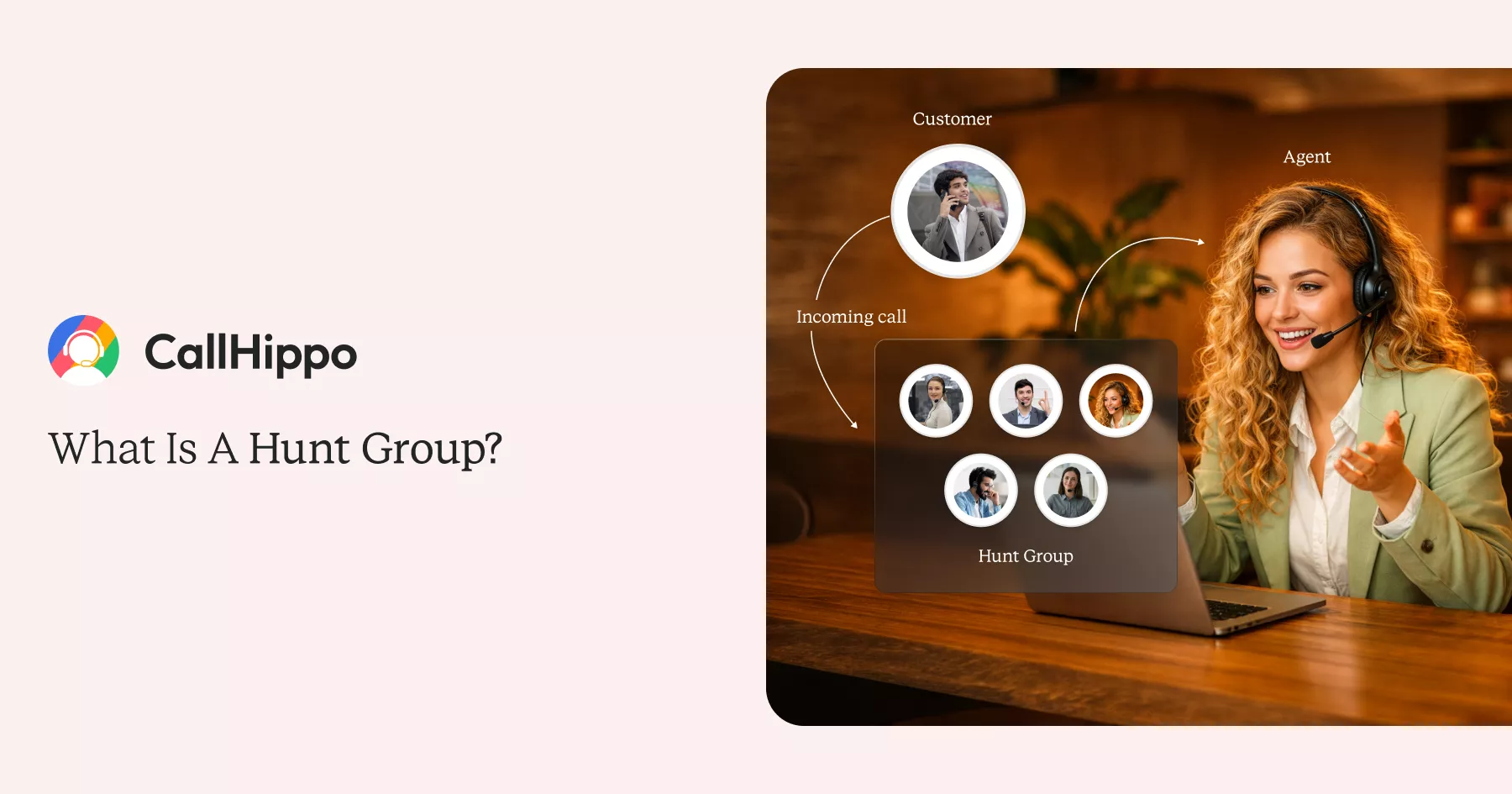
A hunt group is a call routing feature in a business phone system that distributes incoming calls from a single phone number to a group of agents or extensions.
When a phone call comes in, the system hunts through available lines based on a defined rule, ringing agents one by one, in rotation, or all at once until someone answers. Modern VoIP hunt groups work on the same principle but run entirely in the cloud, which means no physical hardware and real-time configuration changes. You can add or remove members instantly.
Hunt group phone number, phone hunt, hunt group telephone, and line hunting all refer to the same feature. You may also see it called a ring group, though there are important differences between the two.
How Does a Hunt Group Work?
When a caller dials your business number, the hunt group takes over. Here’s the sequence:
- Call arrives: A customer dials your main number, or a department DID (Direct Inward Dial).
- Routing logic fires: The phone system checks your hunt group configuration, which agents are in the group, what routing strategy is set, and who’s available.
- System hunts: It attempts to connect the call based on the strategy: sequential, round robin, longest idle, etc.
- Agent answers or failover triggers: If someone picks up, great. If nobody answers after all agents have been tried, the call hits your failover: voicemail, a queue, or a redirect to another number.
Types of Hunt Groups
In hunt groups, the routing strategy you choose will directly affect how your hunt group members operate, how fairly work gets distributed, and how well callers get served. Here are the six main types.
1. Linear (Sequential)
Linear routing always starts at the top of the list. A call comes in, and it goes to Agent 1. If Agent 1 doesn’t answer within the set ring duration, it moves to Agent 2, then Agent 3, and so on.
Best for:
- Tiered support teams where a primary agent should handle most calls, with other hunt group members as backup. Also works well for escalation flows (L1 > L2 > L3).
Limitation:
- The agent at the top of the list will always take the brunt of calls. Over time, this creates a workload imbalance unless managed carefully.
2. Circular (Round Robin)
Circular routing distributes calls by rotating the starting point after each call. If the last call started at Agent 2, the next one starts at Agent 3. This continues around the group in a loop.
Best for:
- Sales teams on commission where every agent expects a fair share of leads. Prevents the same few people from cherry-picking calls.
Limitation:
- It doesn’t account for real-time availability. An agent who just finished a long call gets the next one just the same as an agent who’s been idle.
3. Simultaneous (Ring All)
Every phone in the group rings at once. Whoever picks up first handles the call. Simple, fast, and effective for small teams.
Best for:
- Teams where speed is everything, urgent customer lines, small offices, or front-desk setups where everyone can help.
Limitation:
- On larger teams, this creates a “race to answer” dynamic that feels chaotic and can lead to awkward double-pickups. Not scalable beyond 5-8 agents.
4. Longest Idle
The system routes each call to whichever agent has been waiting the longest since their last call ended. It’s workload-aware in real time.
Best for:
- Contact centers where agent burnout is a real concern. Ensures that no one agent is constantly fielding back-to-back calls while others sit idle.
Limitation:
- Requires real-time availability tracking. Agents need to update their status accurately; if someone forgets to mark themselves available after a break, they’ll be skipped.
5. Fewest Calls
Routes to the agent who has handled the lowest total call count for the day, regardless of how long they’ve been idle. This is different from the longest idle. It looks at daily volume, not just recent activity.
Best for:
- Support teams where call length varies significantly. An agent who spent 45 minutes on one complex ticket shouldn’t be penalized with the same call volume as someone taking 5-minute queries all day.
Limitation:
- Doesn’t factor in call complexity. Two calls are treated equally, whether one lasted 3 minutes and one lasted 40.
6. Skills-Based
This is the most intelligent routing option. Calls get connected to the agent best qualified to handle that specific issue, based on IVR input, caller data, language preference, product expertise, or account history.
Gartner predicts that agentic AI will autonomously resolve 80% of common customer service issues without human intervention by 2029. It makes smart routing infrastructure an operational investment.
Best for:
- Multi-department businesses, technical support teams, or any organization where first-call resolution matters. A caller who presses “2 for billing” should reach someone in billing, not a random available agent.
Limitation:
- Requires more setup. You’ll need IVR integration, defined skill tags for each agent, and some initial configuration work. Most modern VoIP platforms, like CallHippo, handle this through a visual admin dashboard without any coding.
Hunt Group Types at a Glance
| Type | How It Works | Best For | Pros | Cons |
|---|---|---|---|---|
| Linear | First agent first, then down the list | Tiered support, escalation flows | Predictable, simple to manage | Uneven workload over time |
| Circular | Rotates the starting point after each call | Sales teams, lead distribution | Fair distribution | Ignores real-time availability |
| Simultaneous | All phones ring at once | Small or urgent response teams | Fastest answer time | Chaotic at scale |
| Longest Idle | Routes to the agent idle the longest | Contact centers, burnout prevention | Maximizes utilization | Needs real-time status tracking |
| Fewest Calls | Routes to the agent with the lowest daily call count | Teams with varied call durations | Balances daily volume | Ignores call complexity |
| Skills-Based | Matches the caller’s needs to the agent’s expertise via IVR | Multi-dept., technical support | Best first-call resolution | Requires IVR setup |
Hunt Group vs Ring Group: What’s the Difference?
These two terms are often used interchangeably, but they’re not the same thing, and the difference matters when you’re choosing a setup.
A ring group is essentially a single-strategy hunt group: every phone rings at once (simultaneous), and the first person to answer takes the call. A hunt group is the broader category. It includes simultaneous ringing, but also supports linear, circular, longest idle, fewest calls, and skills-based strategies.
| Feature | Hunt Group | Ring Group |
|---|---|---|
| Routing strategies | Linear, circular, skills-based, etc. | Simultaneous only |
| Call distribution control | High – fully rules-based | None – first to answer wins |
| Scalability | Scales to large teams | Best for small teams |
| Failover options | Yes – voicemail, queue, redirect | Limited |
| Best for | Contact centers, sales, support teams | Small offices, basic setups |
Benefits of Using Hunt Groups
Hunt groups have a measurable impact on both operations and customer experience. Here’s what you actually get if you manage hunt groups properly:
- Fewer missed calls: Automatic routing means calls keep moving until someone answers. No one is stuck waiting while an agent’s phone rings into voicemail.
- Faster response times: Callers reach an agent quickly, reducing hold time and abandonment rates. These are the two metrics that directly affect customer satisfaction scores.
- Fair workload distribution: Whether you use round robin, longest idle, or fewest calls, the system ensures no single agent carries a disproportionate volume.
- No manual receptionist needed: The routing logic replaces the need for someone to manually transfer calls all day, cutting operational overhead.
- Scales with your team: Add a new agent, drop them into the hunt group, and they’re in the rotation. No rewiring, no downtime, no IT ticket.
- Better first-call resolution: Skills-based routing connects callers to the right person the first time, instead of bouncing them through two or three agents.
- Actionable analytics: Good platforms track hunt group metrics. Calls handled per agent, average wait time, missed call rates, and more. This data is what lets you actually improve performance over time.

See the Difference Smart Routing Makes
Try CallHippo for free: set up your first hunt group in under 3 minutes.
bottom circle
Who Actually Needs Hunt Groups? Common Use Cases
If your team takes inbound calls, hunt groups apply. Here’s how different businesses actually use them.
1. Contact and Call Centers
Call centers deal with high inbound volume across multiple agent tiers. Longest idle routing keeps the workload balanced throughout the shift. Skills-based routing reduces transfers by connecting callers to the right tier from the start. Failover rules ensure calls always have somewhere to go when all agents are occupied.
2. Sales Teams
Round robin distribution gives every rep equal access to inbound leads. On commission-based teams, uneven distribution directly affects earnings, which is why routing logic matters beyond just operational efficiency.
HubSpot’s 2025 data ranks phone calls as the second most effective sales channel, making fair inbound distribution directly tied to revenue.
3. IT Help Desks
IT queries range from basic troubleshooting to critical infrastructure issues. IVR triage paired with skills-based routing sorts calls by issue type before they reach an agent; each query lands at the correct tier without manual redirection. Level 1 handles routine requests, and senior engineers stay available for escalations.
4. Healthcare and Medical Offices
Medical offices often run on limited staff, especially outside core hours. Hunt groups with time-based routing automatically redirect after-hours calls to an on-call number or answering service. No manual call forwarding at the end of the day, no missed patient calls because the front desk closed.
5. Startups and Small Businesses
Small teams need full coverage without the overhead of a dedicated receptionist. Simultaneous ringing alerts every available team member at once; whoever is free picks up. No complex routing tree required, and no calls lost to a single busy extension.
6. E-commerce and Customer Service
Returns, order status, complaints, and delivery issues each require different knowledge to resolve. Skills-based routing directs each call type to the right sub-team from the start: fewer transfers, faster resolution, and agents handling queries within their actual area of expertise.
How to Choose the Right Hunt Group Type for Your Business
Most guides tell you what each hunt group type does. What they miss is the decision framework: how do you actually pick the right one for your specific situation? Here’s a practical matching guide based on real business scenarios:
| Your Scenario | Team Size | Call Volume | Staff Model | Recommended Type | Why |
|---|---|---|---|---|---|
| Small office, every call matters | 2–5 | Low (<20/day) | Salaried | Simultaneous | Speed; whoever is free picks up |
| Sales team with targets | 5–15 | Medium (20–100/day) | Commission | Round Robin | Fair lead distribution prevents conflict |
| Support desk, equal skills | 5–20 | Medium–High | Salaried | Longest Idle | Prevents burnout, maximizes utilization |
| Large support center, varied call length | 20+ | High (100+/day) | Salaried | Fewest Calls | Balances daily workload fairly |
| Multi-department business | 10+ | Medium–High | Mixed | Skills-Based | Right agent for each issue type |
| Tiered support (L1/L2/L3) | 5–15 | Medium | Salaried | Linear | Escalation-ready, predictable flow |
Note: Most modern platforms, including CallHippo, let you run and edit hunt group strategies for different departments simultaneously. Your sales team can select a hunt group type like run round robin, while your support desk runs longest idle, all within the same account.
How to Set Up a Hunt Group
Setting up a hunt group doesn’t require a technical background. Here’s the step-by-step process that works across most VoIP platforms:
- Define your groups: Identify which departments or teams need hunt groups: sales, customer support, billing, and technical help desk. Keep groups focused.
- Add members: Assign agents and extensions to each group. Enter a hunt group name. On cloud platforms, this is usually drag-and-drop or a simple form.
- Choose a routing strategy: Select from the six options above based on your team structure and call volume.
- Set ring duration: Configure how long each agent’s phone rings before the call moves on. 15–20 seconds per agent is optimal. It is short enough to feel responsive, long enough for someone to actually reach their phone.
- Configure failover: Decide what happens when no one answers. Options include: voicemail with a callback promise, overflow to a queue, or redirect to an external number (like an on-call mobile).
- Set business hours: Define working hours so that after-hours calls route differently. Sending every 11 pm call to an agent’s personal number is not a good customer experience.
- Test every path: Test calls through each scenario: agent available, agent busy, all agents unavailable, after-hours. Verify the routing behaves exactly as expected before going live.
| CallHippo lets you configure hunt groups in minutes through a visual admin dashboard: no technical setup, no coding. You can set routing strategies, ring durations, failover rules, and business hours all from one place, and changes take effect instantly without any downtime. |
Best Practices for Hunt Group Configuration
Configuration is just the starting point. Here’s what separates businesses that get real results from hunt groups versus those that set it and forget it:
- Keep groups appropriately sized: The 5–15 agent range per hunt group is practical for monitoring. Larger groups make it harder to track performance and adjust routing in real time.
- Review analytics monthly: Look at missed call rates, average wait times, and agent utilization. If one agent consistently has a 40% higher call volume than the rest, your routing strategy needs adjusting. Gartner’s 2025 survey of 321 customer service leaders found that 91% are under executive pressure to modernize how their teams perform, with first-contact resolution sitting at the top of the list. That goal doesn’t start with hiring. It starts with making sure the right call reaches the right person the first time.
- Pair with IVR: Let callers self-select departments before they reach a hunt group. This dramatically improves first-call resolution: a caller who presses 1 for sales shouldn’t land in the support queue.
- Set realistic ring times: 15–20 seconds is the standard. Less than that and agents don’t have time to answer; more than that and callers hang up before anyone gets the chance.
- Always configure failover: A hunt group without failover is just an elaborate way to drop calls. Even a simple voicemail with a clear callback promise is better than dead silence.
- Train agents on availability status: This is the most commonly missed step. If agents don’t mark themselves as unavailable when they step away, the system will keep routing to an empty desk: wasting ring time and frustrating callers.
- Test after every change: Any modification to hunt group settings should be followed by test calls. Routing logic can have edge cases that only show up under specific conditions.
The Bottom Line
Hunt groups are one of those features that quietly have a major impact on how your business runs. Get the strategy right, and callers reach the right person fast, agents feel treated fairly, and missed calls drop toward zero. Get it wrong, and you’ve just added complexity without benefit.
With modern VoIP platforms, the setup is genuinely simple. Pick your routing strategy, add your agents, configure your failover, and test it. Then review your analytics monthly and adjust.
CallHippo supports intelligent call routing, including skills-based, round robin, sequential, and simultaneous strategies, through a cloud-based dashboard. No coding or IT setup required.
FAQs
1. Can you use hunt groups with VoIP phone systems?
Yes, most modern VoIP platforms have hunt groups built in. Cloud-based systems like CallHippo let you configure and adjust routing from a dashboard without any hardware or technical setup.
2. What happens when no one answers in a hunt group?
The call hits your failover rule: voicemail, an overflow queue, or a redirect to another number. You define this when setting up the group. If you haven’t set a failover, the call drops. That’s why it’s not an optional step.
3. Do hunt groups work with Microsoft Teams and Zoom?
Both platforms have call queue features that cover the basics. But if you need advanced routing: skills-based, longest idle, or fewest calls, a dedicated business phone platform gives you more control than either natively offers.
Published : March 23, 2026

Priya Naha is an experienced technical content writer who focuses on VoIP and telephony technologies. Her expertise in telecommunication and content marketing allows her to simplify complex topics with real-world knowledge, making her writing relatable, informative, and easy-to-read. Her direct involvement with VoIP products and solutions makes her a reliable voice in the field.

Let’s Stay in Touch
Subscribe to our newsletter & never miss our latest news and promotions.
 24k+ people have already subscribed
Source